Control Sonos with Widgets and Live Activities on iPhone and iPad
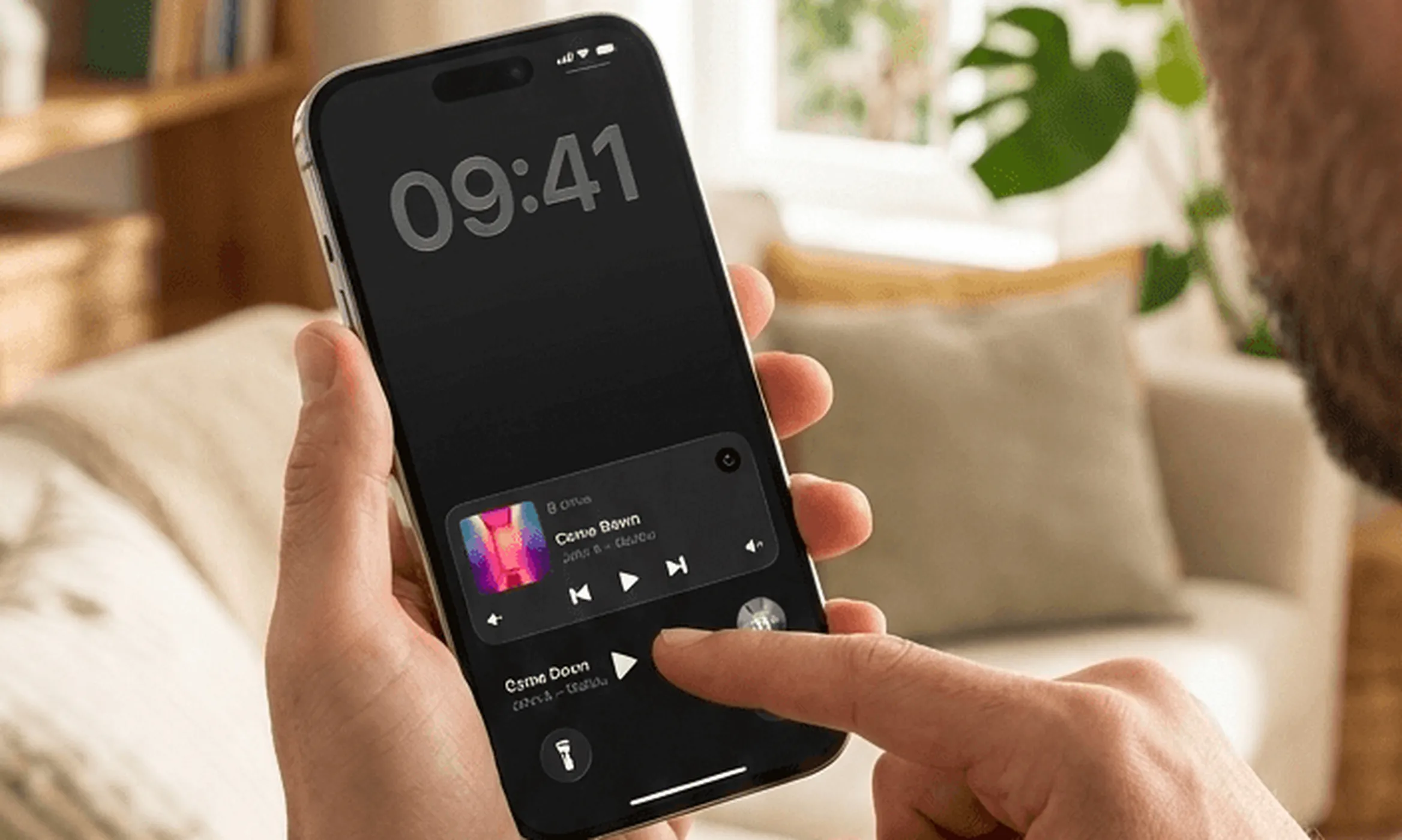
The Sonos app is a good music browser, but it has no Home Screen widget, no Lock Screen widget and no Live Activity, so every pause starts with finding an app and waiting for it to connect. This guide covers the four places iOS will put a control, and how Lyd for Sonos fills each one.
6 min read
Most Sonos moments are one tap long. The phone rings and the kitchen is loud. A track comes on that nobody wants. You walk past a speaker and want it quieter. None of that is worth finding an app and waiting for it to reach your system.
iOS keeps four places for controls like that: the Home Screen, the Lock Screen, the Live Activity and the Dynamic Island. This guide covers what each one can do for Sonos, and how to set them up.
Does the Sonos app have an iPhone widget?
No. The official Sonos app ships no Home Screen widget, no Lock Screen widget, no Live Activity and no Dynamic Island presence. Every control lives inside the app.
What that app does well is worth saying plainly, because you will keep it either way. It is the only way to set a system up, add a speaker, run Trueplay or change a room’s settings, and it is the better place to dig through a large library. Those are jobs you do sitting down.
Pause, skip and volume are not. Those want a control that is already on screen, and a third-party app can put one in all four places iOS reserves.
How to Add a Sonos Widget to Your iPhone Home Screen
How to add a Sonos widget
- Install Lyd for Sonos and sign in with your Sonos account once, so the widget has a system to talk to
- Touch and hold an empty part of the Home Screen until the icons jiggle
- Tap Edit in the corner, then Add Widget
- Search for Lyd, swipe through the sizes and tap Add Widget
- Tap Done
The widget follows the group that is playing, or the first room in your system when nothing is. Tap the room chip in its top-left corner to move it to the next group. That is also how you point a widget at one specific room and leave it there.
Sonos Widget Sizes on iOS and iPadOS
The Home Screen sizes are not one control at three scales. Each size trades artwork for buttons.
- Small — room, track and artist over the album art, with play/pause and volume down and up.
- Medium — the same controls plus previous and next, with the artwork as a thumbnail.
- Large — artwork at full width with the whole transport underneath.
- Extra large — the large layout at iPad size, on iPad only.
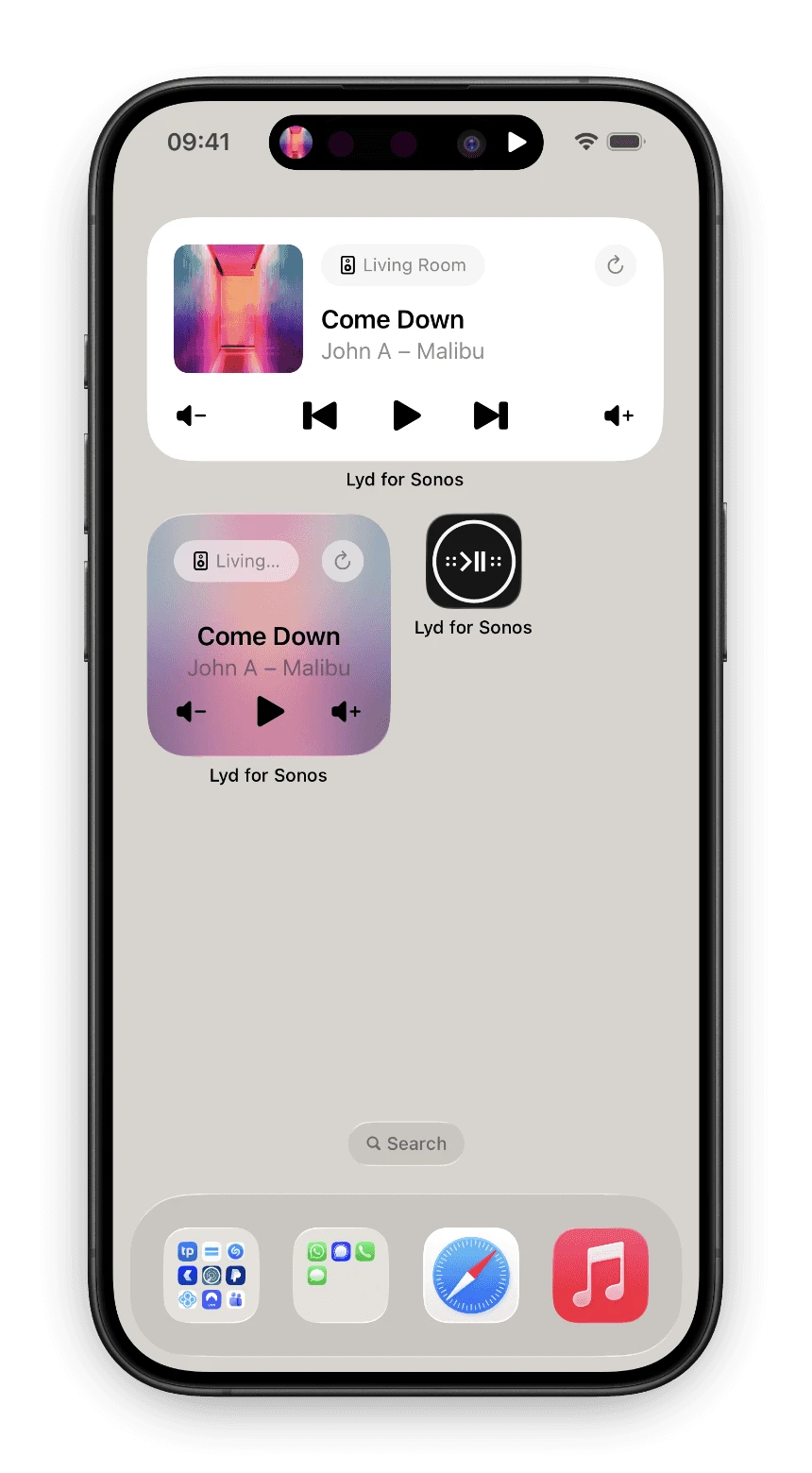
The buttons work in place. Tapping play in the widget plays the speaker; it does not open Lyd first. On a podcast or an audiobook the skip buttons become jump-back and jump-forward, and on internet radio play/pause becomes stop, because that is what the source actually supports.
How to Show Sonos on the Lock Screen
The Lock Screen is where this pays off, because it is the screen you are already looking at. Two different things go there and they behave differently.
Sonos Controls on the iPhone Lock Screen
Lock Screen widgets are the small controls in the row under the clock. Lyd offers all three shapes: a rectangular one with the track and a play/pause button, a circular one showing album art, and an inline one that sits beside the date.
How to put Sonos controls on the Lock Screen
- Touch and hold the Lock Screen, then tap Customize
- Tap Lock Screen, then tap the widget area under the clock
- Pick Lyd from the list to add it
- Tap Done
The Live Activity, Which Appears on Its Own
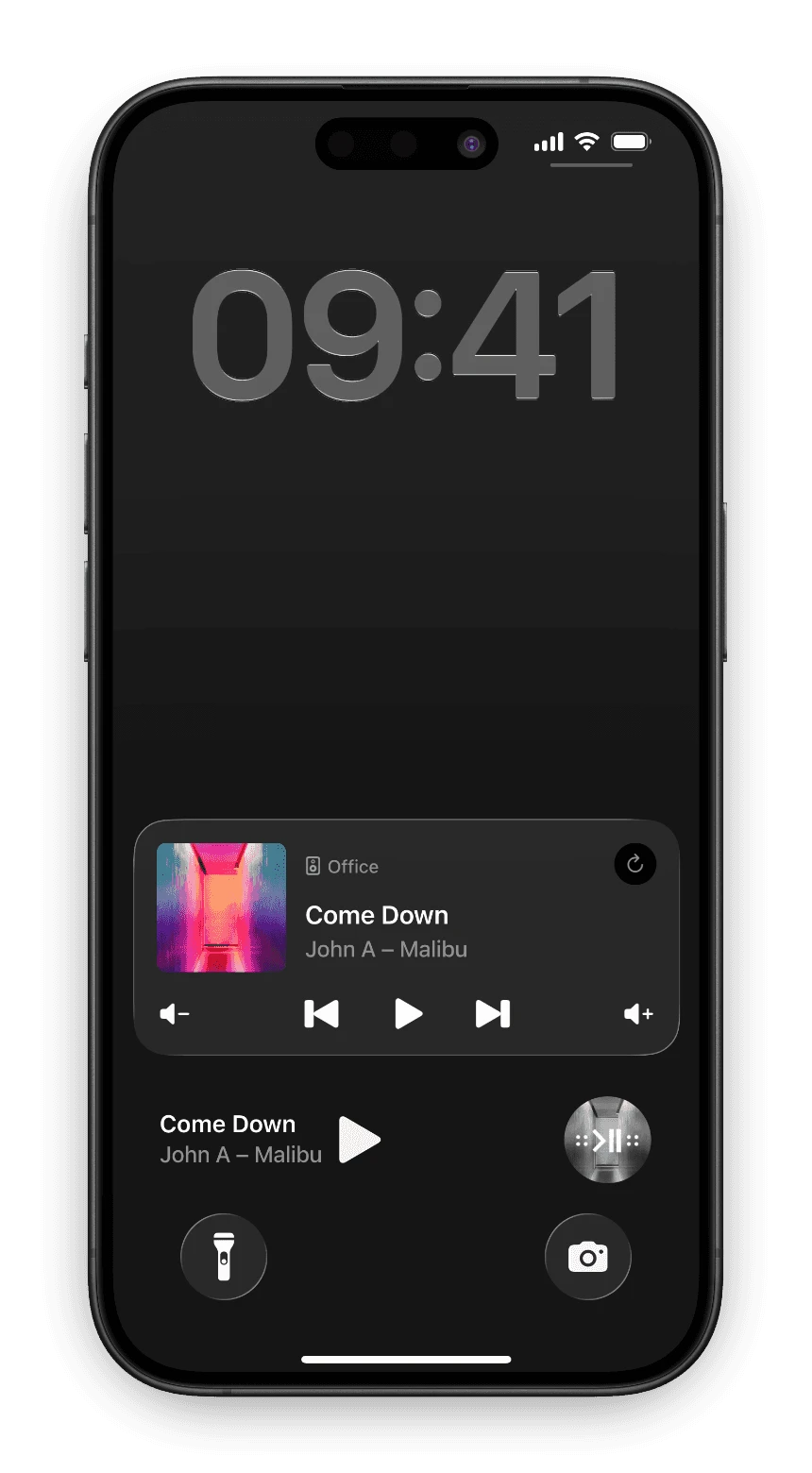
Play something through Lyd and a Live Activity appears on the Lock Screen by itself: album artwork, the room, track and artist, and the full transport underneath. Nothing to add, nothing to configure. It stays through app switches, screen locks and Focus changes, and it goes when you swipe it away, sign out or force-quit the app. Swipe it away and it returns the next time playback starts. If you only want it while music is playing, turn off “Always Show Live Activities” in Lyd’s settings.
Sonos Live Activities and the Dynamic Island
On an iPhone with a Dynamic Island, that same Live Activity also sits at the top of the screen while you use other apps. Compact, it shows the album art on one side and the playback state on the other. Touch and hold to expand it and the full set is there: volume down, previous, play/pause, next, volume up, with the track and a refresh button.
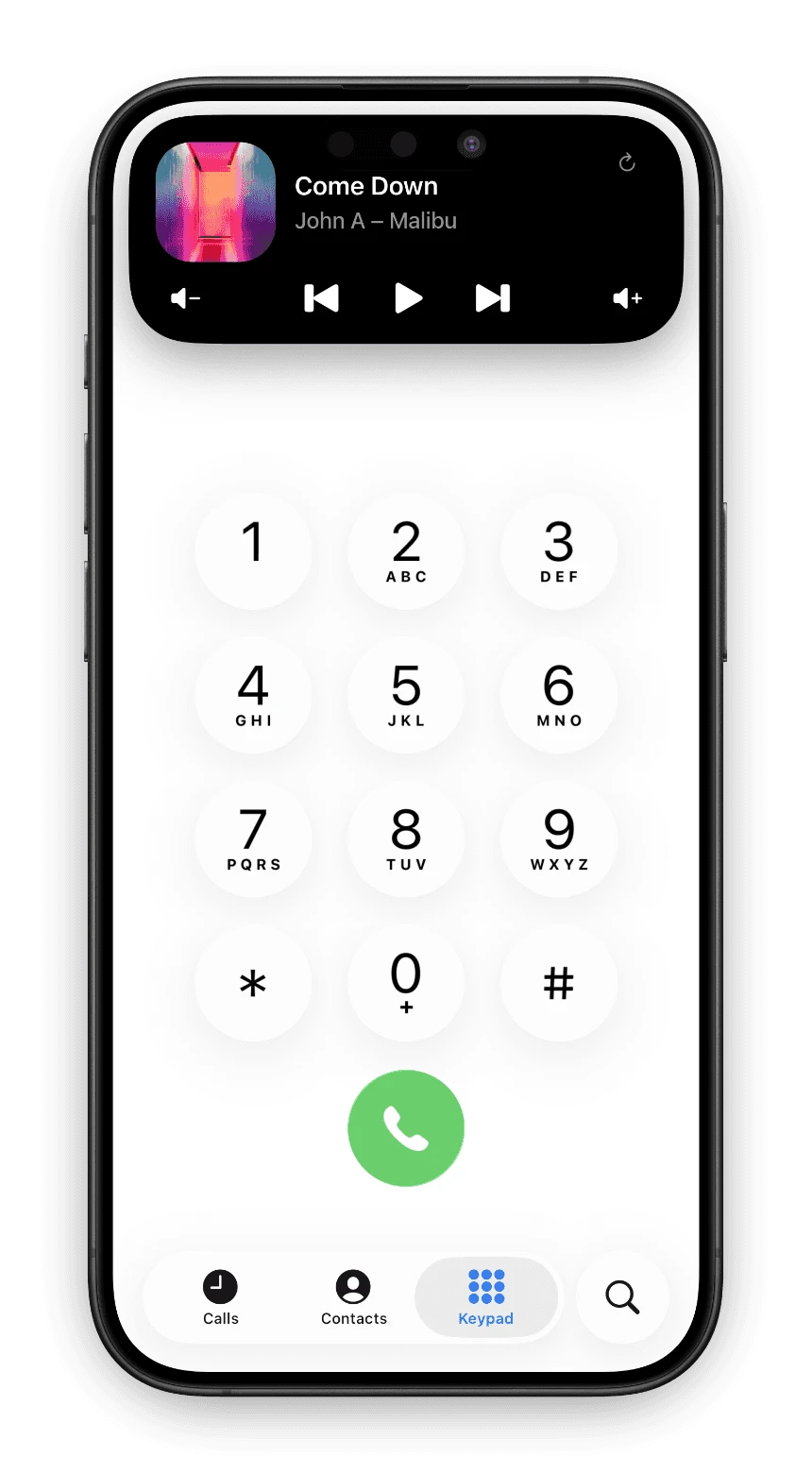
This is the one that changes habits. The remote stops being somewhere you go and becomes something already in front of you.
Which Control to Reach For
| Feature | Home Screen widget | Lock Screen widget | Live Activity Lock Screen + Dynamic Island |
|---|---|---|---|
| Where it lives | A Home Screen page | Under the clock | Lock Screen and Dynamic Island |
| How it gets there | You place it | You place it | Appears on its own |
| Track and artist | Yes | Rectangular shape | Yes |
| Album artwork | Yes | Circular shape | Yes |
| Play and pause | Yes | Rectangular shape | Yes |
| Previous and next | Medium and larger | No | Yes |
| Volume | Yes | No | Yes |
| Switch room | Yes | No | No |
Set It Up in a Few Minutes
Install Lyd, sign in with your Sonos account, place one widget, then start something playing. The Live Activity turns up on its own and the Dynamic Island follows it. Lyd is a one-time purchase with a 14-day free trial and no signup, so you can decide after living with it for a week.
Widgets are the fastest way to reach a speaker you are standing next to. To make Sonos react with no tap at all, Automate Sonos with Apple Shortcuts covers triggers and automations, and Control Sonos from Apple Watch covers the remote already on your wrist.
Get Lyd for Sonos on the App Store and try it free for 14 days.


