Sonos on Your Wrist When Your iPhone Is in the Other Room
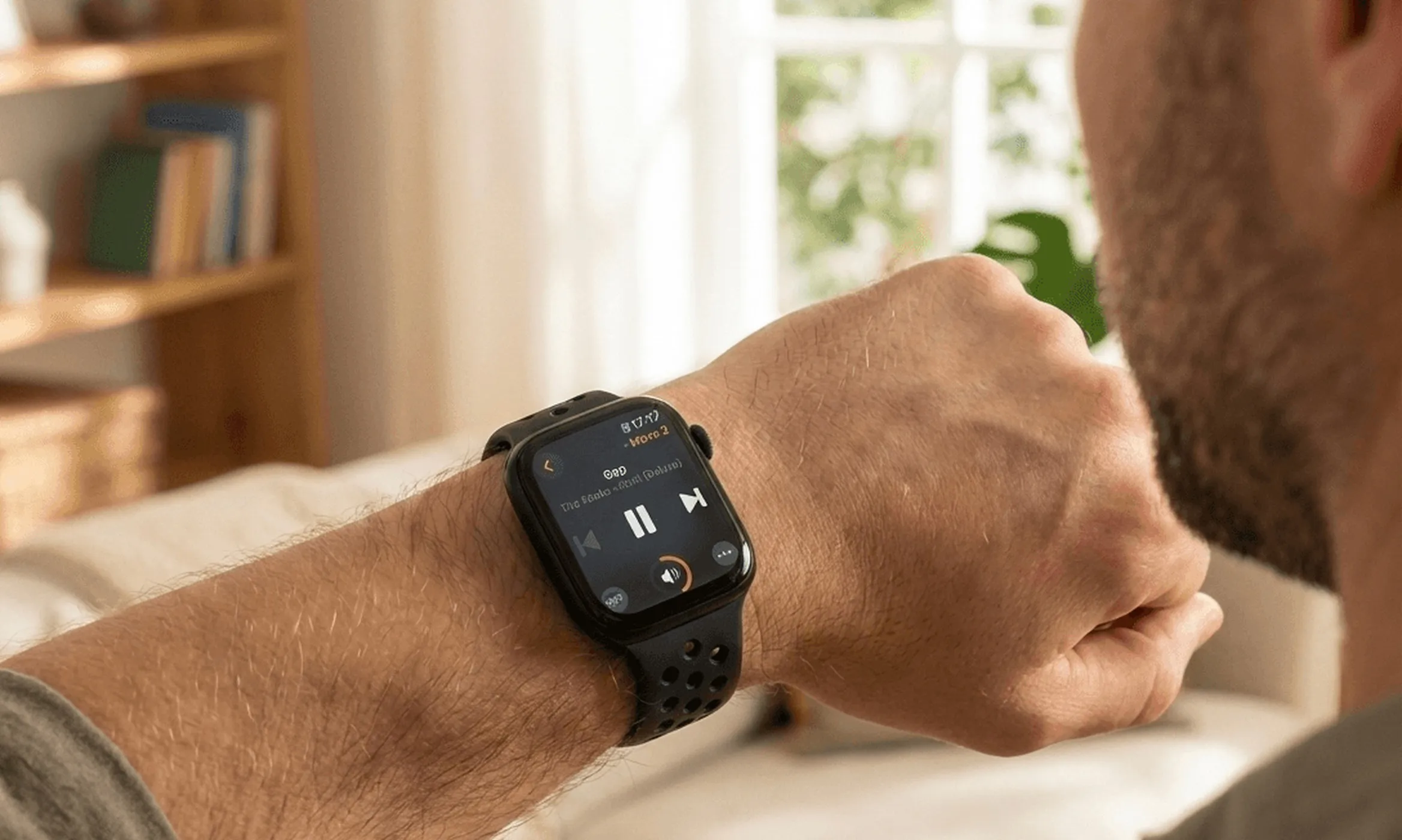
Sonos does not make an Apple Watch app. That single fact is why you are here, and it is the whole reason Lyd has had one since 2019. This guide covers what wrist control actually feels like: the Digital Crown for volume, a complication on your watch face, Sonos Favorites and search, grouping rooms, and running the whole thing with your iPhone in another room.
9 min read
The moment that sends people looking is small and it repeats. Music is loud, the doorbell goes, and the phone is charging two rooms away. By the time you have found it, unlocked it, opened the Sonos app and waited for it to see your system, the moment is over.
The watch on your wrist is already awake. It should be able to do this.
Why There Is No Sonos App for Apple Watch
Sonos has never shipped one. The official Sonos app runs on iPhone, iPad and Android, plus the web player at play.sonos.com, and there is no watchOS version alongside them. Apple Watch launched in 2015; the gap has been there ever since, through the S2 rewrite and everything after it.
That is the beginning and the end of the complaint. The Sonos app is still the better browser for a large library, and it is the only way to set up a system, add speakers, tune Trueplay or link a streaming service. Nothing on your wrist replaces that, and nothing here suggests it should. What a watch is good at is the ten seconds after the music is already playing.
What Sonos on Apple Watch Actually Looks Like
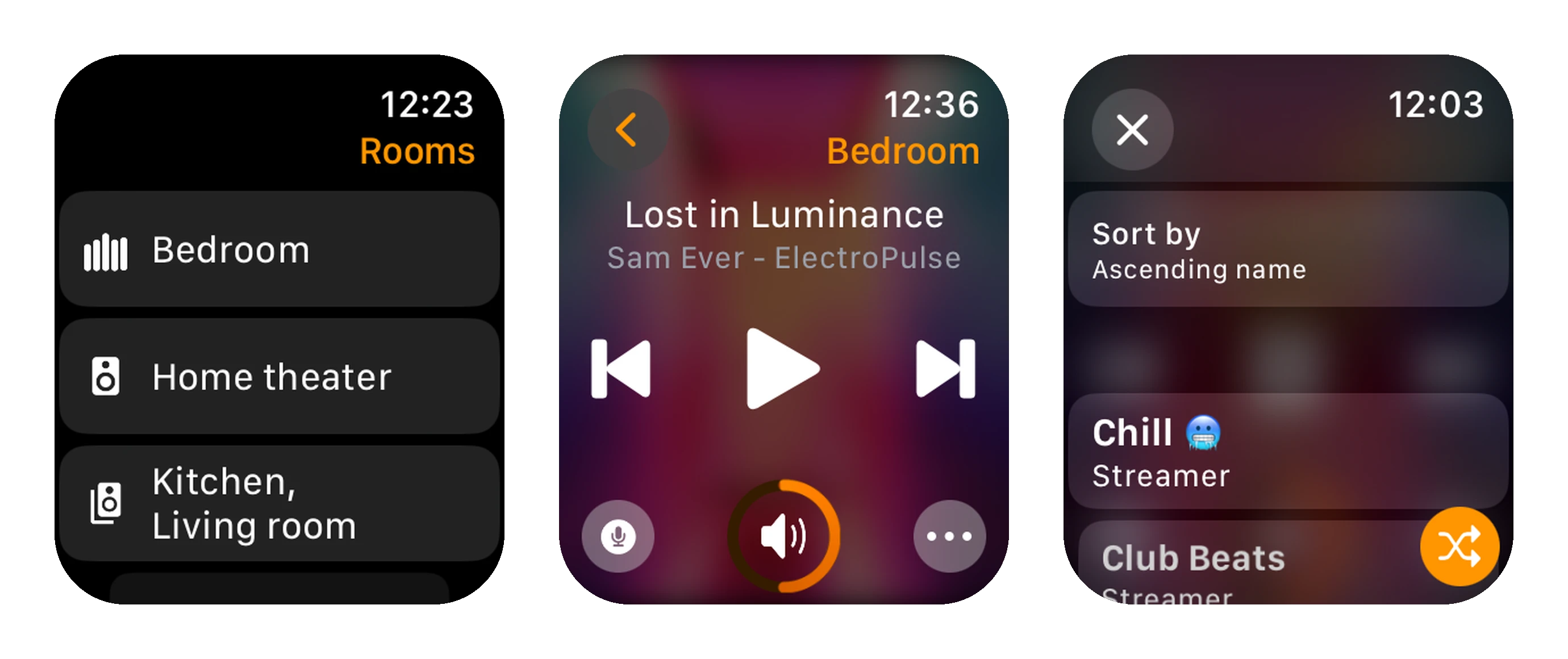
Lyd opens on Rooms. Every room in your Sonos system is listed, each group counts as one row (“Kitchen, Living room”), and a small equalizer icon marks whichever ones are playing. Tap a room and you land on Now Playing.
Now Playing is deliberately plain: track and artist at the top, previous, play/pause and next across the middle, and a volume ring at the bottom. In a podcast or an audiobook the skip buttons turn into 30-second jumps by themselves, because Lyd reads the content type and swaps the behavior. The ··· button opens the rest: grouping, per-speaker volume, the Sleep Timer, home theater options, speaker battery.
The screen supports Always-On, so a glance tells you what is playing without a wrist flick. Lyd needs watchOS 9.6, which rules out Apple Watch Series 3 and anything older.
Volume on the Digital Crown
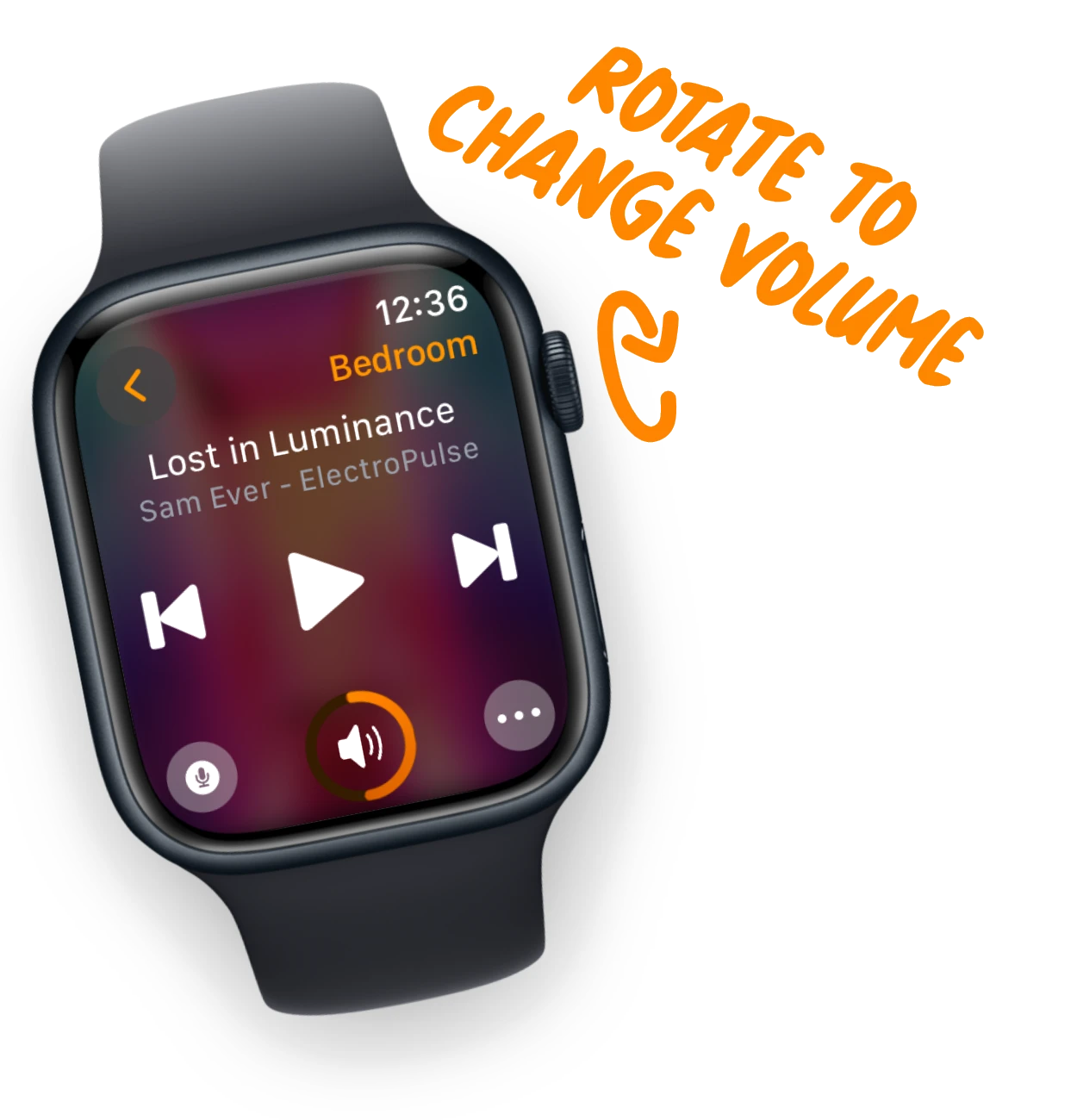
Turning the Digital Crown changes the volume of whatever room you are in. Each step gives a small haptic click, which is the part that matters: you can turn the music down at a dinner table without looking at your wrist, the same way you would reach for a knob.
Tap the speaker icon in the middle to mute and tap again to restore. If you are controlling a group, the ··· menu opens a slider per speaker, so the kitchen can come down while the living room stays where it is.
Sonos on Your Watch Face: Complications
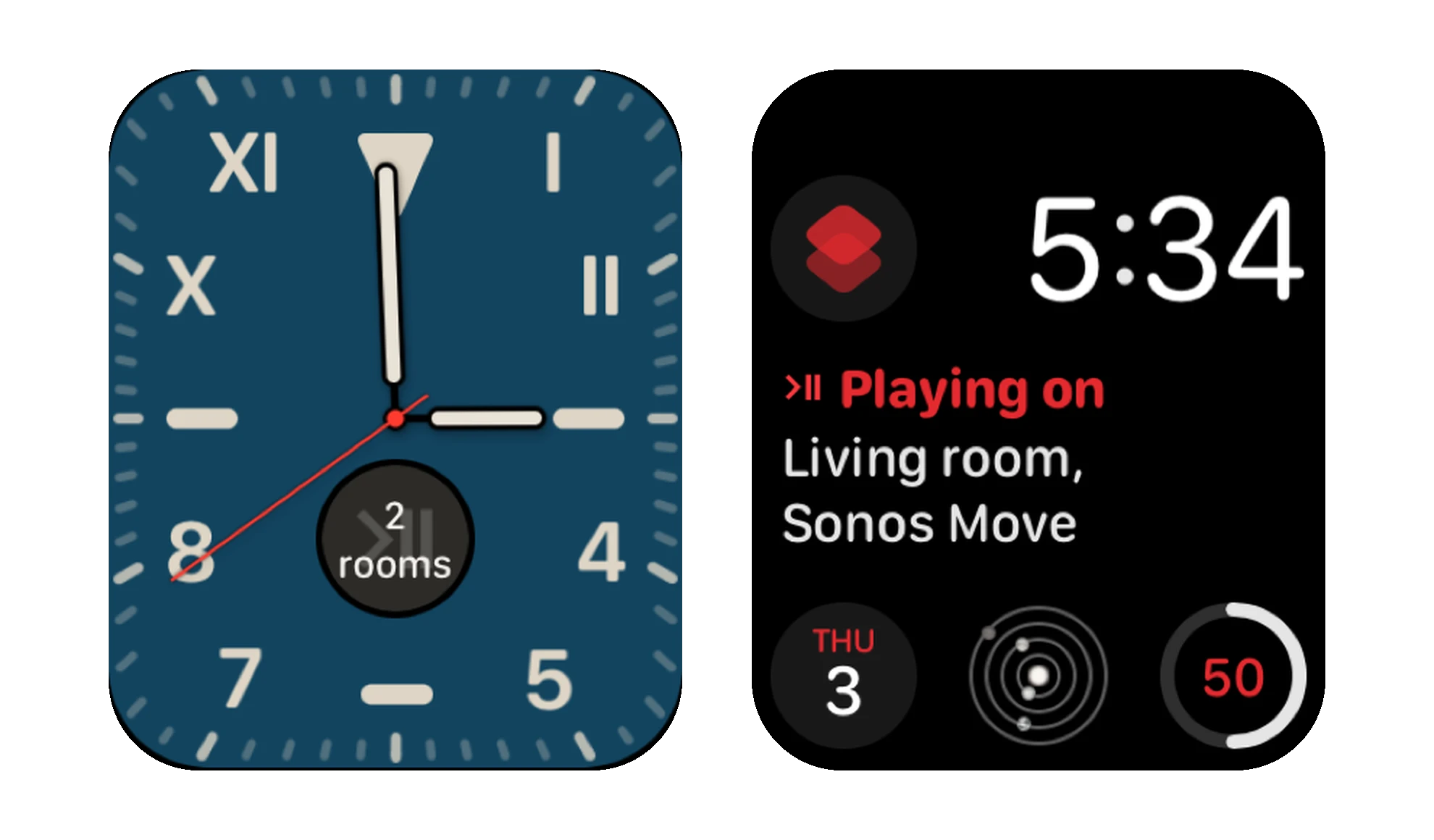
Lyd offers two complications. Show Playing Rooms is the live one: it reads the room name, or a count when several are playing, or “Paused” when nothing is. Open Lyd is a plain launcher for people who want the icon and nothing else.
The two do not fit the same slots. Show Playing Rooms takes rectangular, circular, corner and inline; Open Lyd takes circular, corner and inline and has no rectangular version. So if a slot on your face offers only one of them, that is why.
One honest limit: tapping a complication opens Lyd, not a specific room’s controls. It saves you finding the app in the grid, not a further tap.
Which Watch Faces Take a Lyd Complication
Any face with a complication slot, which is most of them: Modular, Infograph, California, Metropolitan, Activity Digital and the rest all have slots in the shapes above. Faces built around an image or a character have none at all, so there is nothing to add Lyd to. Photos, Portraits and Memoji are the usual disappointments there.
If you want the room and the track readable on the face itself rather than one tap away, pick a face with a large rectangular slot and put Show Playing Rooms in it. That is the only shape with room for both.
Add the Lyd complication
- Press and hold the watch face, then tap Edit.
- Swipe left to the Complications screen.
- Tap the slot you want and scroll to Lyd.
- Choose Show Playing Rooms or Open Lyd, then press the Digital Crown to save.
Sonos Favorites and Search From the Wrist
Your Sonos Favorites and Sonos playlists are both on the watch, sorted alphabetically or grouped by streaming service, and a tap starts one. There is a shuffle toggle next to them for when the order does not matter.
The search field above the list goes further than the favorites: it searches every streaming service linked to your Sonos system and returns songs, albums, artists, playlists, stations and podcasts. Your indexed music library is searchable on the iPhone only. Which of those come back is up to Sonos and the service, so Apple Music returns fewer types than Spotify does. Typing on a watch is what it is, so dictation is usually the faster route.
Grouping Rooms From Your Watch
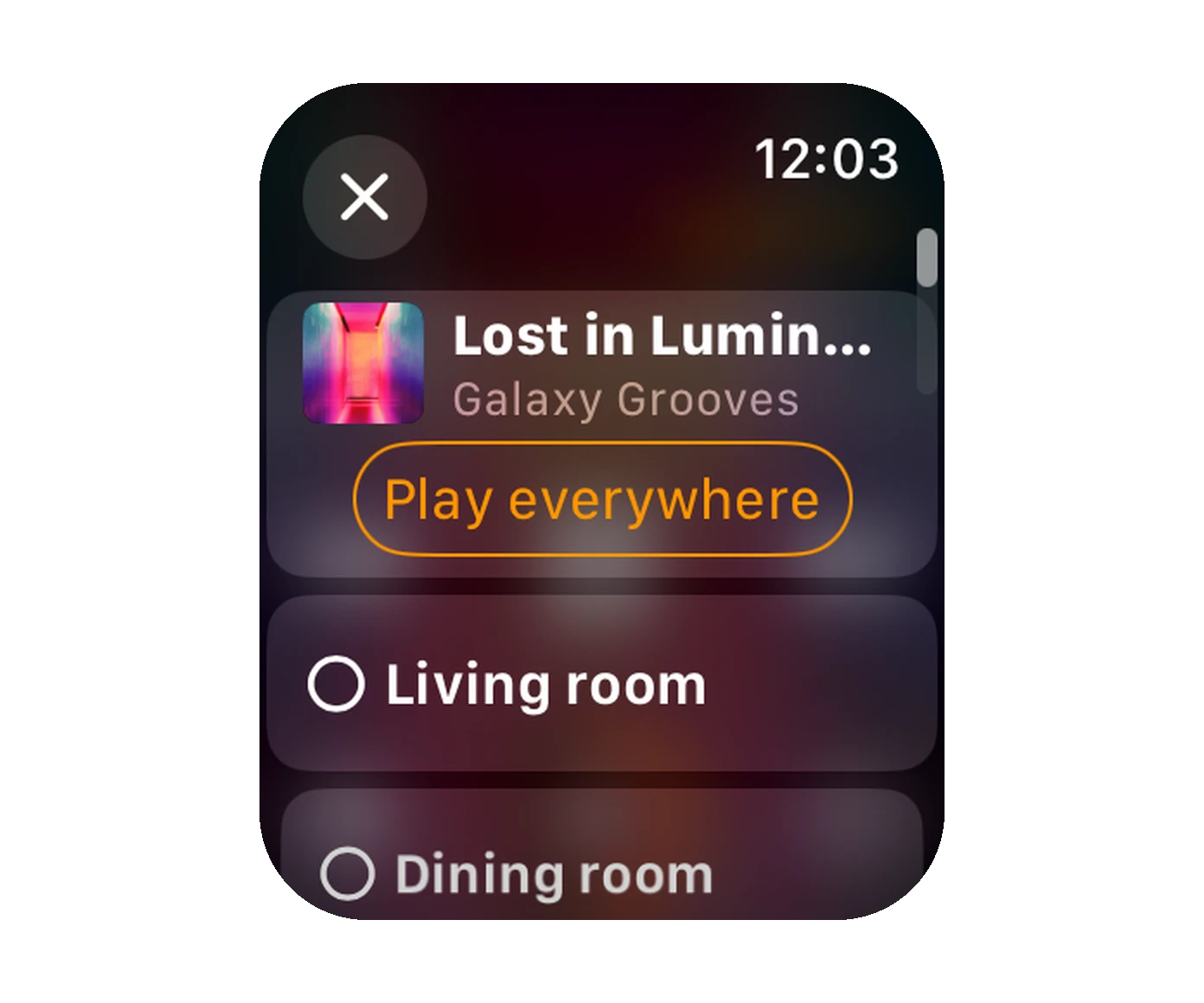
Grouping is where the wrist beats the phone most clearly, because it is a thing you do while carrying something. Open the ··· menu, choose to manage the group, and you get a checklist of every speaker: check to add, uncheck to remove.
Above the list sits Play everywhere, which selects the lot and sends what is playing to the whole house in one tap. Ungrouping is the same screen in reverse.
Beyond Playback
Scenes on Your Wrist
A Scene is a whole listening setup saved as one item: which speakers play together, which one leads the group, how loud each one is, and what starts. On the watch they are a list you tap, nothing more. They are authored on the iPhone or iPad, where the editor lives, and arrive on the watch already made.
If you have never built one, the watch does not show you an empty screen. It suggests Scenes worked out from your own rooms, and tapping one applies it and saves it at the same time.
Voice Messages
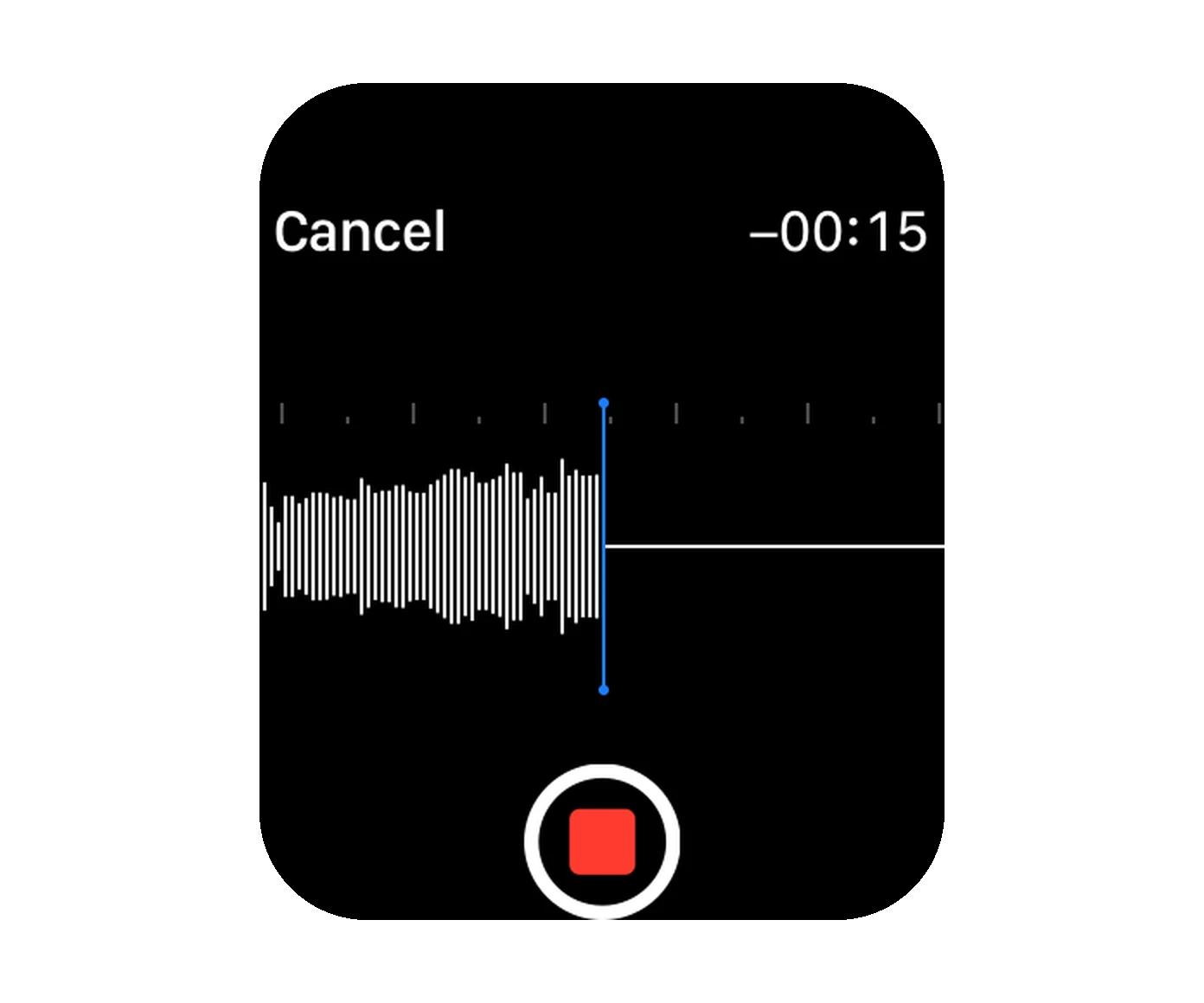
Tap the microphone button on Now Playing, record, and pick the speaker it plays out of. The limit is 30 seconds and the countdown runs on screen while you talk. “Dinner is ready” reaches the room upstairs without anyone shouting up the stairwell.
Lyd sends the recording on with the room’s current volume attached, and Sonos does the rest: it ducks whatever is playing, plays your message, and puts the music back. The option only appears for speakers that support Sonos audio clips, so older models without a microphone will not offer it.
The Sleep Timer
The Sleep Timer sits in the same ··· menu and offers seven durations: 10, 15, 20, 30, 45 and 60 minutes, or 2 hours. It applies to the group you are in, and Lyd shows the remaining minutes while one is running. Set it on the watch, then see and cancel it anywhere: the iPhone and iPad show the same running timer.
Sonos Alarms
Your system’s own alarms, edited from the wrist: ··· then Alarms lists them per speaker, and each one opens to a time picker, a volume slider and the weekdays it repeats on. These are Sonos’s alarms, not your iPhone’s, so they wake the room whether or not the phone is anywhere near it.
Home Theater Options
If the room is a soundbar, the watch can toggle Night Mode and Speech Enhancement without getting up. Two switches, which is exactly the kind of thing nobody wants to unlock a phone for.
Siri
Lyd ships App Shortcuts, so a set of phrases works from the watch with no setup. Say “Pause with Lyd”, “Next with Lyd”, “Louder with Lyd”, “Group with Lyd”, or “Apply Movie Night with Lyd” to run one of your Scenes.
The app name is part of the phrase, and that is a Siri rule rather than a choice: Siri routes a request to Sonos only when you tell it which app to use. Raise your wrist, say the line, put your arm down.
Using the Apple Watch App Without Your iPhone
The watch app is not a remote for a remote. It signs in to Sonos itself and talks to your system on its own, so your iPhone can be dead, charging in another room, or left at home.
Two details are worth stating plainly, because most write-ups get them wrong:
- Setup is easier with the iPhone app, but it is not required. Lyd recommends signing in on the phone first, mostly because typing a password on a watch is unpleasant. There is also a QR code path for signing in from the watch alone. Once you are in, the iPhone app can be deleted without touching the app on the watch.
- This is not a local-network-only app. Lyd goes through the Sonos cloud API for control, which is why the watch keeps working when you are on cellular in the garden or away from the house entirely.
The same one-time purchase covers the iPhone and iPad side too: Home Screen and Lock Screen Widgets, Live Activities in the Dynamic Island, and Shortcuts actions. There is no subscription and no separate watch purchase.

Sonos Widgets and Live Activities on iPhone
The official Sonos app keeps every control inside the app. Lyd puts play, skip and volume on the Home Screen, on the Lock Screen and in the Dynamic Island.
Read the GuideGetting Started
Put Sonos on your wrist
- Install Lyd from the App Store. The 14-day trial starts on its own, with no signup.
- Sign in with your Sonos account on the iPhone, or scan the QR code from the watch.
- Open Lyd on the Apple Watch and pick a room.
- Add the complication to the face you actually wear.
Then leave the phone where it is and see how long you go without it.
Try Lyd for Sonos free for 14 days, no signup. Available on the App Store.

