Six Third-Party Sonos Apps for iPhone, Compared
The official Sonos app browses your music well, and it is the only way to set a system up. What it does not do is put the controls within reach in a second. Six third-party apps fill that gap, each in its own way. Here is what each one is for, what it costs, and what its widgets actually look like.
14 min read
What the Official Sonos App Does Well
Start here, because it decides how much of this page applies to you. The Sonos app is the only way to run a Sonos system: adding a speaker, updating it, tuning a room, creating a stereo pair, connecting a music service. No third-party app can do any of that, and none of the six below replaces it.
It is also the better browser. Your services, playlists, radio stations and the queue all live in one search field, and that is where you go when you want to find something rather than change something.
What it does not do is put the controls within reach in a second. Sonos does not make an Apple Watch app, and everything else starts in the app itself: find the icon, wait for it to connect, then tap. If you change the volume twice an hour, that adds up. If you open Sonos once in the evening and let an album run, it does not, and you can stop reading here.
What Makes the Best Sonos App for iPhone
There is no single answer, because the six apps optimize for different things. Six questions separate them:
Speed to a control. A Home Screen or Lock Screen widget, a Live Activity in the Dynamic Island, a Control Center button: anything that changes the volume without a launch.
Apple Watch. Three of the six have a watchOS app. If your phone spends the evening on a table in another room, this is the whole decision.
Shortcuts. Whether the app exposes actions you can call from an automation or from Siri, and how many.
Reach. Whether the app can control your speakers when you are not on the same network as them.
How many devices one purchase covers. Four of the six also ship a Mac app, two also cover Apple TV. If your Sonos is a home theater, that matters more than anything on your phone.
Price and shape. Four are a single purchase. Two are free downloads with a subscription behind them, which is a different relationship with an app you expect to still work in five years.
The Six Apps, Compared
The table covers the six third-party Sonos apps for iPhone that people actually shortlist, in alphabetical order. The official Sonos app is not a column: it is the baseline all six are trying to improve on, and it stays installed either way.
| Feature | Clic | Lyd | Orto | Sono+ | SonoPhone | Soro |
|---|---|---|---|---|---|---|
| Price, one time | $79.99 | $8.99 | $5.99 | $9.99 | $3.99 | $7.99 |
| No subscription | No | Yes | Yes | No | Yes | Yes |
| Free trial | Free tier | 14 days | No | 3 days | No | No |
| Widgets | Yes | Yes | Yes | Yes | No | Yes |
| Apple Watch app | Yes | Yes | Yes | No | No | No |
| Mac app | Yes | No | Yes | Yes | Yes | Yes |
| Apple TV app | Yes | No | Yes | No | No | No |
| Shortcuts | Yes | Yes | Yes | Yes | No | Yes |
| Control away from home | No | Yes | Yes | No | No | No |
| Minimum iOS | iOS 17 | iOS 17.6 | iOS 18 | iOS 18 | iOS 15 | iOS 18 |
| Known for | Every Apple platform | Apple Watch and reach | Clic's reach, far cheaper | Widgets everywhere | S1 and old iPhones | 30+ Shortcuts actions |
Two rows are worth reading twice. Away from home is a claim from each app’s own listing, not something I have tested on five accounts: Lyd controls speakers over the Sonos cloud, and Orto’s listing says it works “at home or away”. The other four are local network only. And no subscription is where Clic and Sono+ differ from the rest: both are free downloads, and the price in the first row is their lifetime unlock, sold next to a monthly and a yearly plan.
The Widgets, Side by Side
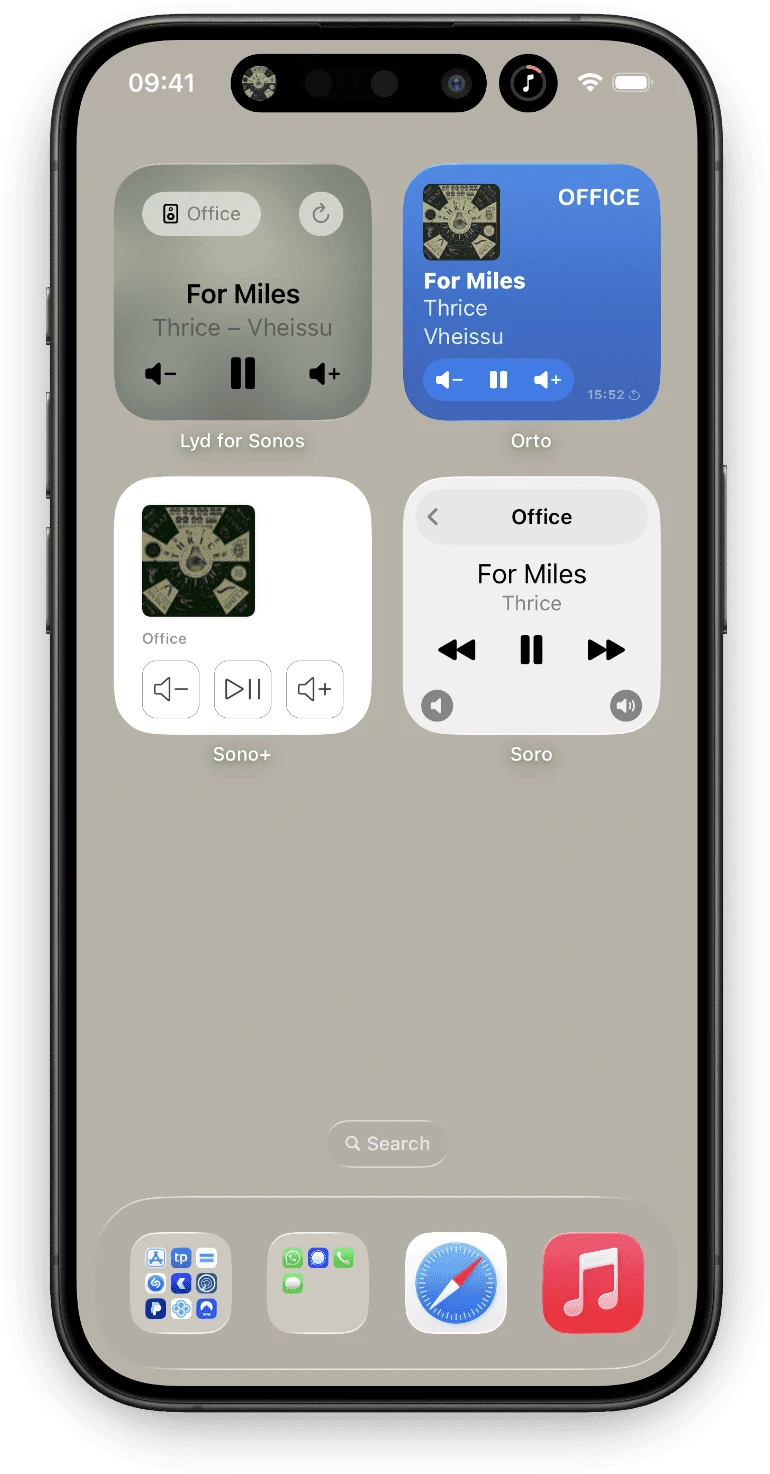
The whole point of most of these apps is the widget, so it is worth seeing them next to each other rather than reading four descriptions of a play button.
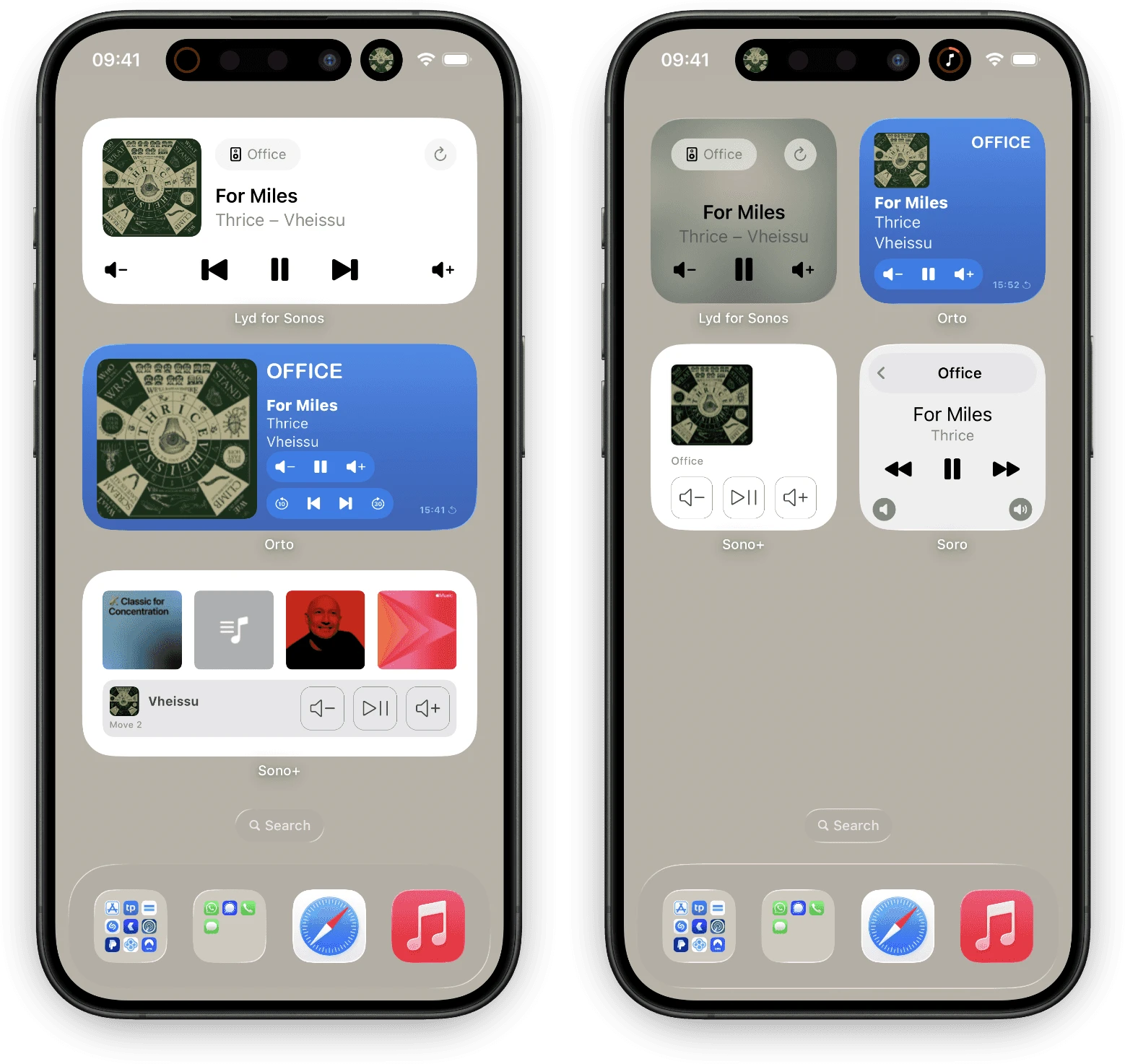
They diverge more than you would expect. Lyd and Sono+ keep the widget quiet and put the transport first. Orto fills it with album art and color. Soro ships the small size only, so a Soro widget can show you what is playing but cannot give you a full transport row. SonoPhone has no widget at all.
Clic
The widest of the six, and it earns the word: one account covers iPhone, iPad, Mac, Apple Watch, Apple TV and Vision Pro, all with Widgets, Live Activities and Shortcuts. The Apple TV app is the genuinely useful one, because a home theater is the one place a phone is the wrong remote.
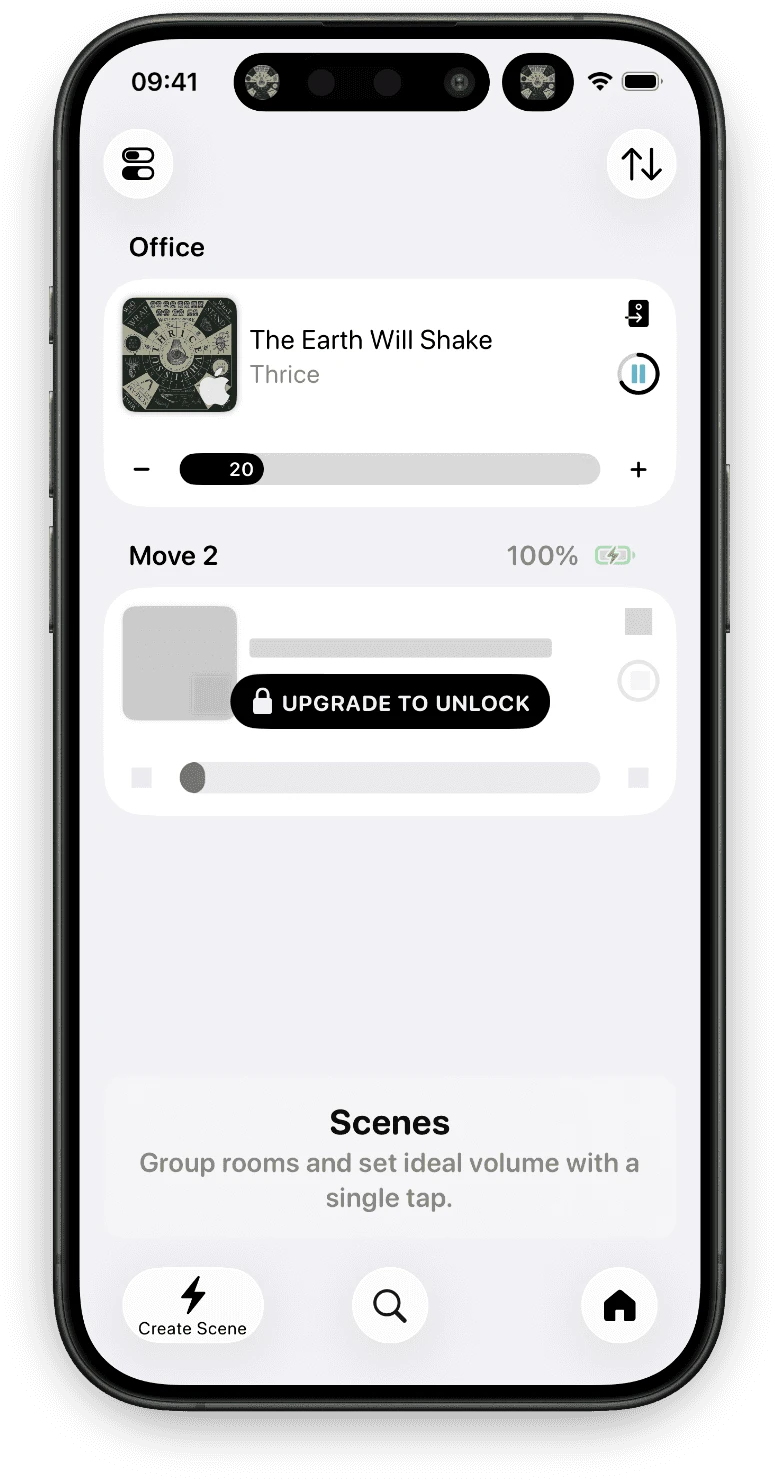
Depth matches the breadth. Clic browses the streaming services directly rather than routing you through Sonos Favorites, it saves Scenes for a set of rooms and their volumes, and it shows bit depth and Dolby Atmos status on the now-playing screen, which none of the others do.
The catch is the shape of the price. Clic is a free download with a Super unlock behind it: $1.99 a month, $14.99 a year, or $79.99 once. The lifetime tier is ten times what most of this list costs, and the free tier is narrow enough that you will meet the paywall in the first minute. It is also local network only, so it does not reach the speakers when you are out.
Lyd
Lyd is the app I make, so read this as a description rather than a verdict.
It started in 2019 as an Apple Watch remote, and the Watch app is still the deepest one on this list: full playback control, the Digital Crown for volume, switching rooms, grouping and ungrouping speakers, Sonos Favorites and streaming search, watch face Complications, Sonos alarms and a Sleep Timer, and Voice Messages you record on your wrist and play through a speaker that supports Sonos audio clips.
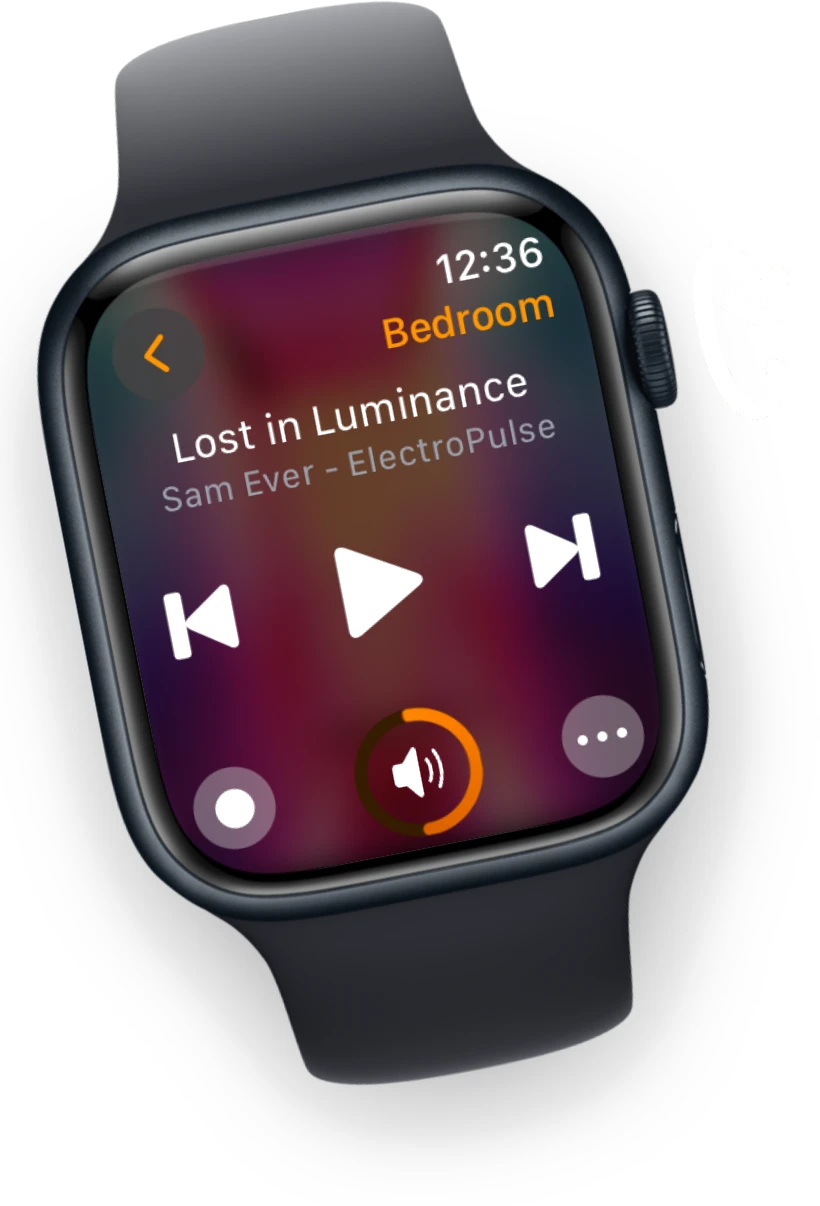
On iPhone the same idea runs across the other surfaces: Home Screen Widgets in small, medium and large, Lock Screen Widgets, Live Activities in the Dynamic Island, Shortcuts and Siri, and volume on the iPhone’s own volume keys. The iPad is a native app rather than a stretched phone one, with the library and Now Playing side by side and an extra-large widget of its own.
Scenes are the part that has grown most. A Scene remembers which speakers play together, which one leads the group, how loud each one is and what starts playing, and it goes further than that: bass, treble and loudness, Night Mode or Speech Enhancement on a soundbar, shuffle and repeat, its own Sleep Timer, and pausing every speaker that is not part of it. Lyd works out starter Scenes from your own speakers and room names, so there is usually one to try before you build anything.
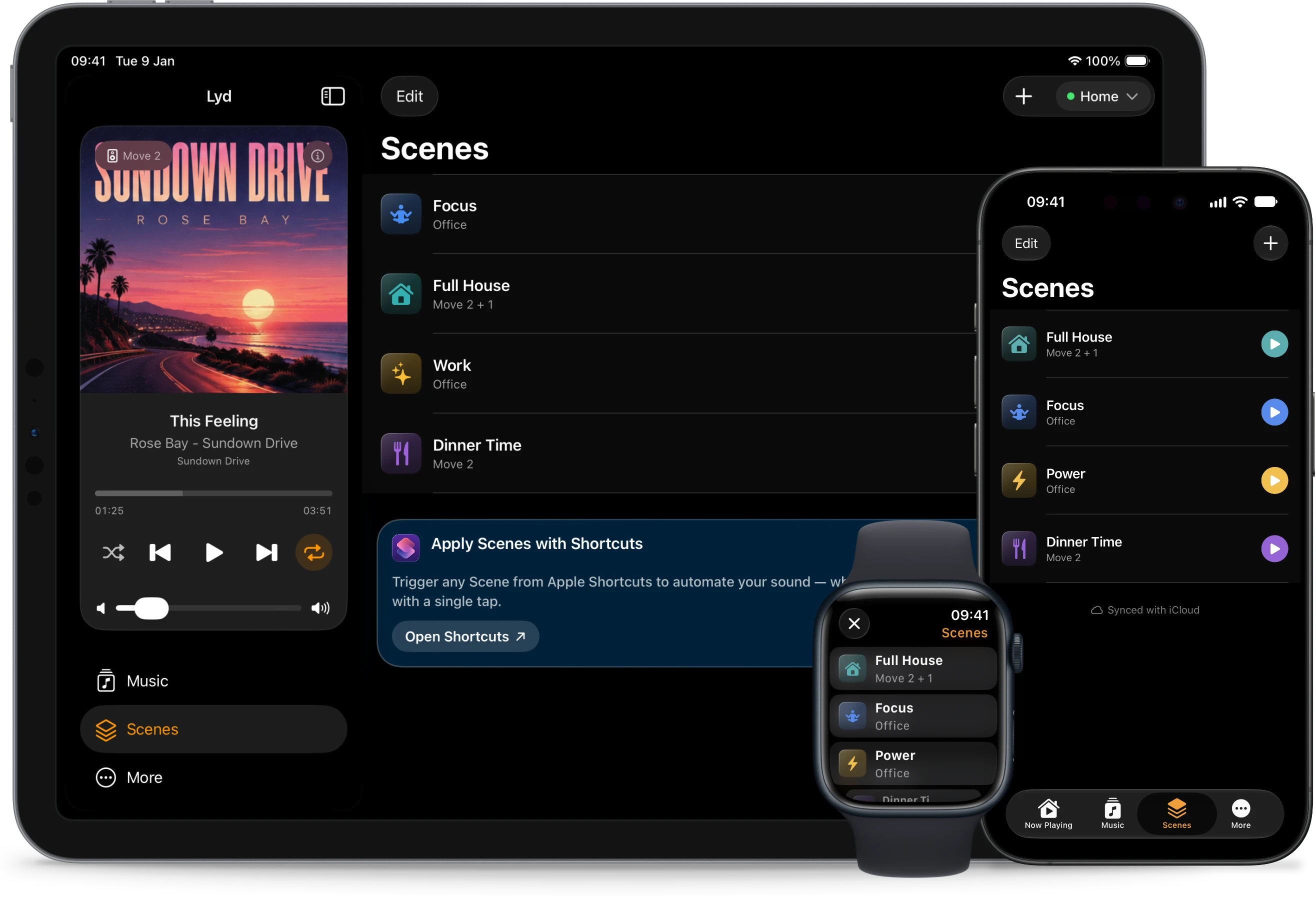
Scenes live in your own private iCloud database, so one built on the iPhone is already on the iPad and the Watch, and Menu Bar Controller for Sonos on the Mac reads the same set. Siri and Shortcuts can apply any of them by name.
Two things are harder to find elsewhere. Lyd’s normal control path runs through the Sonos cloud rather than the local network, so it reaches your speakers when you are not on their network: the music you left playing at home can be stopped from the train.
The second is Guest Mode, which controls someone else’s system on their WiFi without their account: what a vacation rental or a party at a friend’s house needs. It is deliberately narrow. Play, pause, seek, set the volume of the whole group or one speaker, group and ungroup rooms. Choosing what to play, and skipping a track, need the host’s Sonos account.
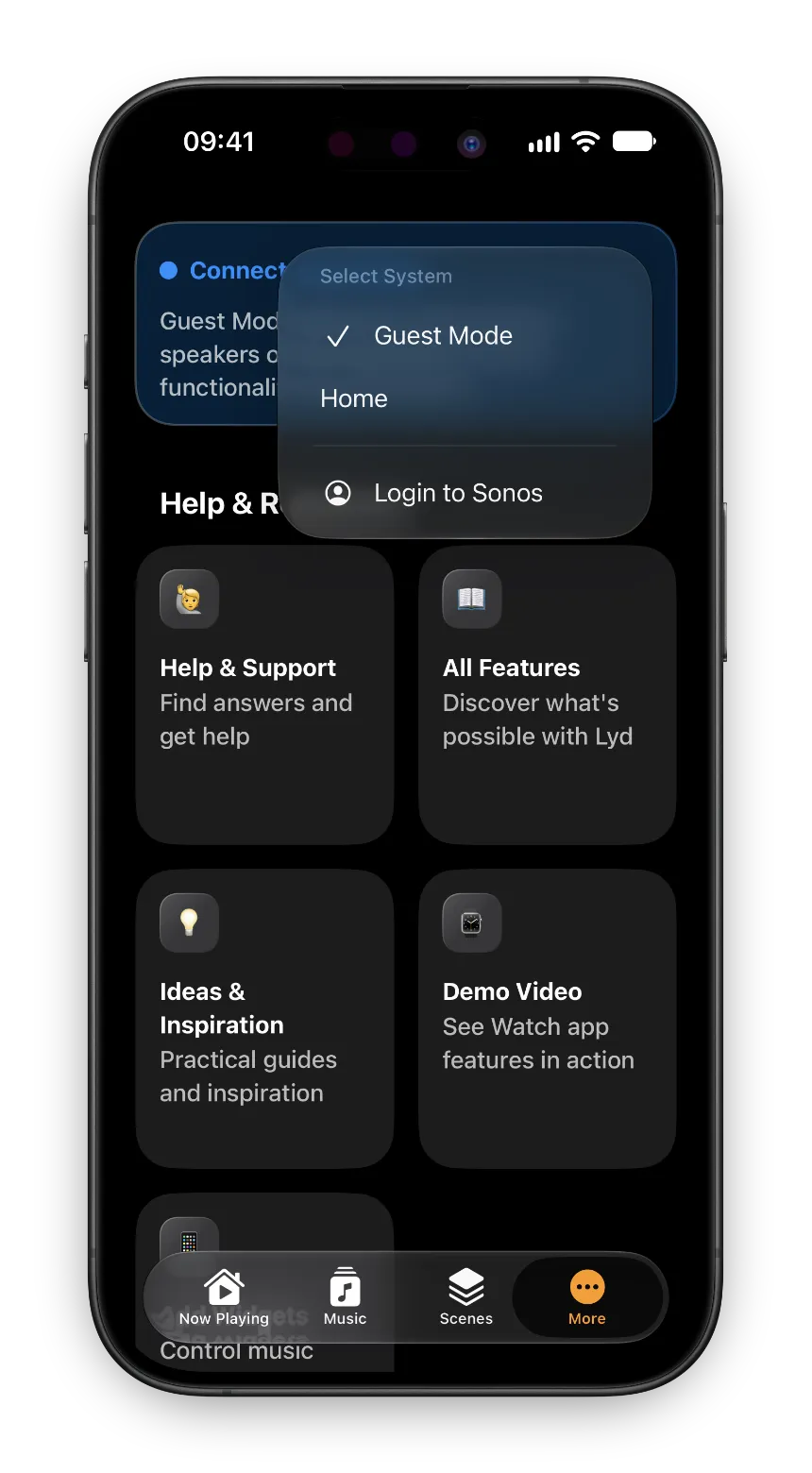
Control a Sonos System That Isn't Yours
A friend's house, a rental, an office system nobody will give you the login for. Guest Mode controls the speakers on the Wi-Fi you are already on, without an account and without touching the owner's.
Read the GuideS1 and S2 systems both work, as separate systems you switch between; Sonos, not Lyd, decides what an S1 system exposes. The price is $8.99 once after a 14-day free trial with every feature unlocked and no signup, and Family Sharing covers up to five people. There is no subscription.
Where it loses: there is no Mac app and no Apple TV app. Both rows in the table are honest.
Orto
On the September 2026 listings, Orto is the surprise of this comparison. For $5.99 once, with no in-app purchases at all, it covers iPhone, iPad, Mac, Apple Watch, Apple TV and Vision Pro: the same six platforms as Clic, at a thirteenth of the lifetime price. It has Widgets on the Home Screen, Lock Screen and in StandBy, Shortcuts actions with Siri, Digital Crown volume on the Watch, and its listing claims control at home or away.
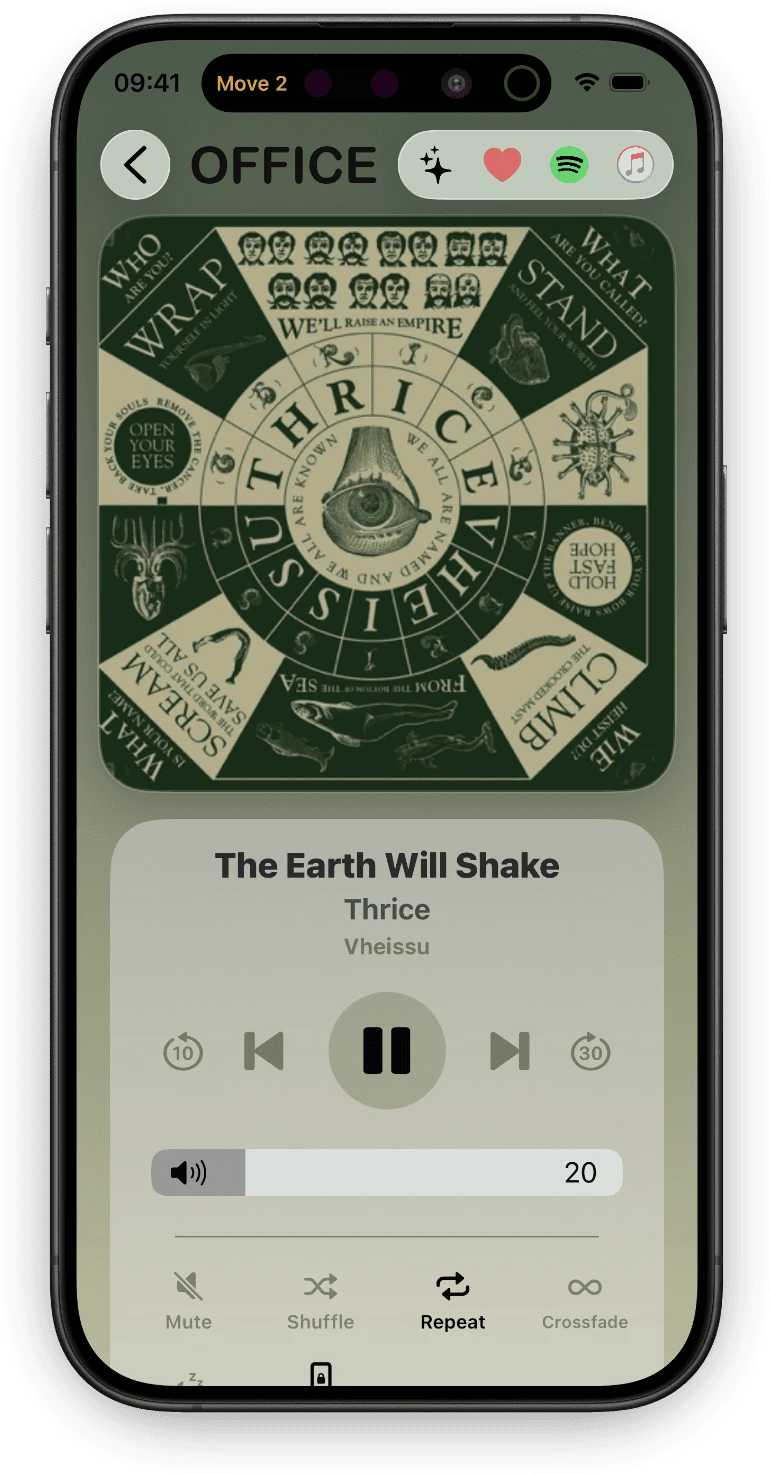
Two things temper it. It carries the smallest number of App Store ratings of the six and the lowest average in both the US and the German store, so the breadth is better documented than the reliability. And it requires iOS 18, which puts it out of reach on an older iPhone. If breadth is what you are buying, try Orto before you pay for Clic.
Sono+
A free download with a $9.99 lifetime unlock, or $0.99 a month, or $2.99 a year, after a three-day trial. Widgets are the point: Home Screen, Lock Screen, Control Center, Live Activities in the Dynamic Island, and an Apple Watch widget in the Smart Stack.
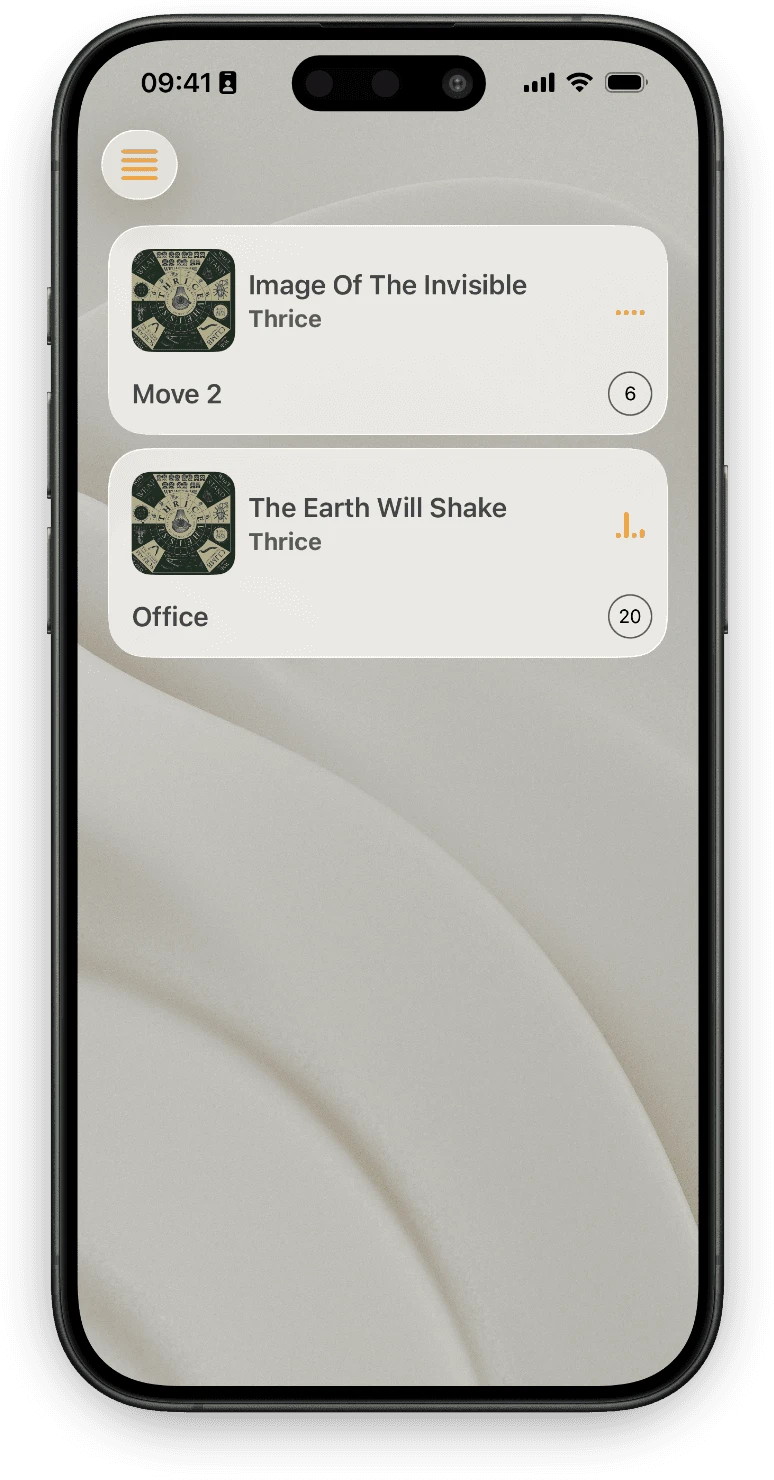
Note the Watch line carefully: a widget in the Smart Stack is not a watchOS app. You get a glanceable control, not room switching, grouping or search on the wrist. Music browsing is thin by design. If the widgets are the only part of this page you care about, Sono+ belongs on the shortlist, and the subscription is the thing to read twice.
SonoPhone
$3.99, the cheapest of the six, and the only one still built for old hardware on both ends: it runs on iOS 15, where four of the others now demand iOS 18, and it shows S1 and S2 speakers together in one list. Cross-grouping the two generations is still impossible, because Sonos does not allow it, but seeing them side by side is more than most of this list manages.
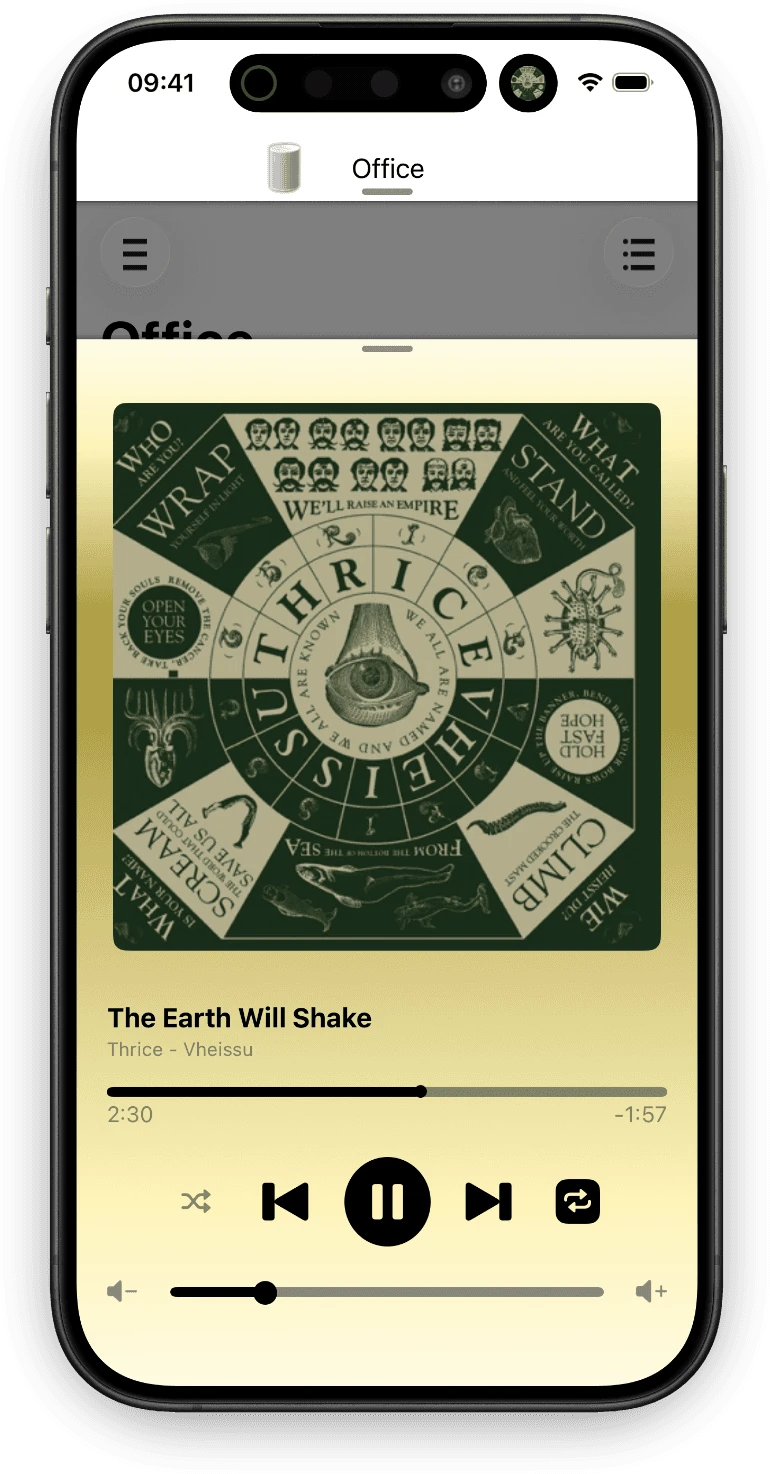
The trade-off is everything modern: no Widgets, no Apple Watch app, no Shortcuts. It is a replacement controller rather than a way to control Sonos without opening something, and it is clearly good at that job. It is also the one here that changes least, which for a controller built around hardware Sonos stopped updating is closer to the point than a drawback. If your household is still on S1, or your iPhone cannot take iOS 18, this is the obvious one to try. (Both generations are covered in the guide on running S1 and S2 systems together.)
Soro
$7.99 once, and more Shortcuts actions than anything else here: over 30 of them, covering alarms, EQ and home theater presets, stereo pairs and playlists. If your Sonos lives inside automations, this is the specialist.
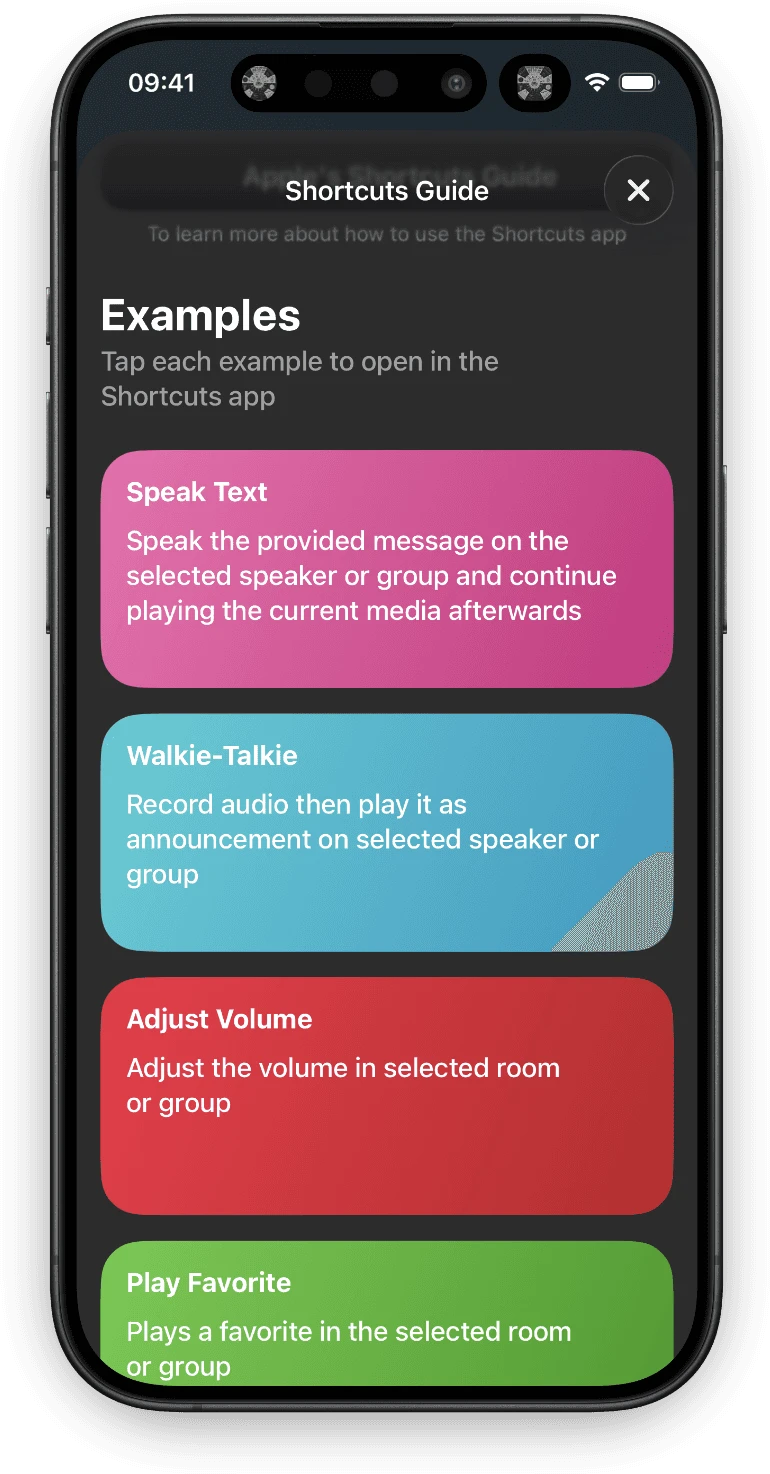
The standout is Speak Text: type or dictate a message and Soro speaks it through a speaker, then puts the music back. Sound presets save an EQ, surround or sub configuration and recall it from a shortcut or Control Center. Lyd’s Voice Messages are the nearest equivalent and work differently: you record your own voice on the Watch instead of typing text on the phone.
Two limits. There is no Apple Watch app, so Soro cannot be the whole answer if you wanted your wrist to work too, and its widget comes in the small size only. More on what Sonos automations can do is in the Shortcuts guide.
Choosing the Best Sonos Controller for How You Listen
Your phone is rarely in your hand. Clic, Lyd and Orto are the three with an Apple Watch app. Lyd is built around the Watch first; Clic and Orto add it to a larger app.

Sonos on Your Apple Watch
Sonos makes no Apple Watch app. Lyd has since 2019: rooms, volume on the Digital Crown, Sonos Favorites and grouping, with the phone left wherever it is.
Read the GuideYou control Sonos from a Mac, an Apple TV or a Vision Pro. Orto and Clic both cover all six Apple platforms. Orto is $5.99 once and Clic is $79.99, so start with Orto and move up only if it disappoints you.
Your Sonos lives inside automations. Soro, on the count of Shortcuts actions.
You are on S1, or on an iPhone that cannot take iOS 18. SonoPhone.
You want to reach the speakers from outside the house. Lyd and Orto are the two whose listings say they do it.
You want widgets and nothing else. Sono+ or Soro, with the subscription and the small-widget-only limit read first.
None of this covers the Mac properly. Lyd runs on iPhone, iPad and Apple Watch only; for a menu bar remote on macOS there is Menu Bar Controller for Sonos, which I also make, and which shares Lyd’s Scenes through the same iCloud database.
Common Questions
Which app is the best Sonos controller for iPhone?
It depends on what you control and from where. For Apple Watch, widgets and control away from home in one app, of these six it is Lyd. For a Mac, an Apple TV or a Vision Pro, it is Orto, with Clic as the more expensive alternative. For deep automation it is Soro. The table above shows the differences row by row.
Do I still need the official Sonos app?
Yes. Setup, software updates, room tuning, stereo pairs and connecting music services all run through the Sonos app and nowhere else. All six apps here are remotes for a system that is already set up.
Do these apps work with Sonos S1?
Not all of them. Lyd, Orto, Clic and SonoPhone list S1 support; Soro’s listing names S2 speakers only. If your system is still on S1, check the listing before you buy.
Can I control Sonos when I am not at home?
With Lyd, yes: control runs through the Sonos cloud, so the speakers are reachable over any internet connection. Orto’s listing claims the same. The other four in this comparison are local network only, and Lyd’s own Guest Mode is the exception in the other direction, local by design.
Is a one-time purchase really cheaper?
Over a few years, yes, for four of these six. Clic and Sono+ are free downloads with monthly and yearly plans alongside a lifetime unlock, so the sticker price in the table is the one you pay to stop paying. Lyd, Orto, SonoPhone and Soro are bought once.
The Short Version
If you start an album in the evening and let it run, the Sonos app is enough and this page cost you four minutes. The moment Sonos becomes a small action several times a day — turn it down, add a room, stop something from the train — the app you want is the one whose control is already on the surface you are looking at.
If that is you, and the wrist and reaching the speakers from outside matter more than a Mac or an Apple TV, Lyd’s 14-day trial unlocks every feature and asks for no signup. If two of these still look equally right, install both and keep the one you reach for after a week.

